Contractor Invoice Approval Workflow
How contractors can review, verify, and approve invoices before they enter the accounting system — so job costing stays accurate and profit stays protected.
Tracking invoices is important.
But approving them properly is what protects your margins.
Most contractors lose money because invoices:
get coded wrong
get assigned to the wrong job
slip through without review
don’t match quantities delivered
are duplicated
exceed estimate without approval
get entered without support documents
A clean approval workflow fixes all of this.
Below is a simple, scalable system any contractor can adopt — whether you're running one crew or ten.
1. Why Contractors Need an Invoice Approval Workflow
Here’s the truth:
Most job overruns come from poor invoice review, not poor workmanship.
Without a defined approval process:
PMs get blindsided
Owners get overloaded
Accounting has to guess
Costs get assigned incorrectly
Sub invoices go unchecked
Vendor statements don’t match
Job costing becomes unreliable
A good invoice approval workflow protects your money one document at a time.
2. All Invoices Must Enter Through One Email (Your Approval Starting Point)
Every invoice — paper, digital, receipt, delivery slip, or subcontractor invoice — must enter through the same inbox:
📧 invoices@yourcompany.com
This is the entry point for the entire approval system.
Everyone sends invoices here:
Vendors
Subs
Foremen
Employees
PMs
Why this matters:
✔ No lost invoices
✔ No random texts or pockets
✔ No handing invoices to the wrong person
✔ Accounting knows exactly where every invoice starts
✔ PMs don’t get invoices directly
✔ Creates a clean, trackable workflow
✔ Scales with your company
Your hard rule:
“If it’s not in the invoice email, it doesn’t exist.”
PRO NOTE: Create Vendor Subfolders for Clean Tracking
Inside your invoice inbox or shared drive, create:
Invoices → Vendors → [Vendor Name]
Example:
Home Depot
ABC Lumber
Fastenal
Concrete Supply
Plumbing Wholesale
This creates:
✔ fast searching
✔ easy vendor statement reconciliation
✔ clear visibility into missing invoices
✔ a full history of every invoice per vendor
This will save huge amounts of time later.
3. The Full Invoice Approval Workflow (Your Scalable System)
Here is the complete, end-to-end workflow that ensures every invoice is verified, coded, approved, entered correctly, and paid on time.
Step 1: Accountant Saves Invoice to the Correct Job Folder
Once the invoice lands in the invoice email inbox, the accountant:
renames it properly
saves it to the correct job folder
places it into:
📁 01 – Needs Verification
This keeps your documents organized from the start.
Step 2: Foreman Verifies Field Accuracy
Before anything is approved, someone MUST confirm the invoice reflects real activity.
Foreman checks:
Was this actually purchased?
Was this delivered?
Do quantities match?
Does it match the delivery slip?
Was this authorized?
Is pricing correct?
When verified, the foreman moves the invoice to:
📁 02 – Needs PM Review
This ensures PMs don’t approve inaccurate or inflated invoices.
Step 3: PM Reviews & Approves (Adds Cost Code + Stamp)
Project Manager now performs the job costing review, checking:
Is this the correct job?
Is this the correct cost code?
Does this fit the estimate?
Should this be billed to the client?
Should this be a change order?
Is anything duplicated?
Is the cost reasonable?
PM stamps the invoice with:
Job name
Cost code
Approved by
Date
Notes
Then PM moves the invoice to:
📁 03 – Approved – Ready to Enter
Step 4: Approval Thresholds (Keep the System Moving)
To prevent bottlenecks and protect profit, use thresholds:
Under $250: Auto-approved by foreman or accountant
$250–$2,500: PM approval required
Over $2,500: PM + Owner approval
Sub invoices: Always require PM + Owner approval
This keeps the approval system efficient and safe.
Step 5: Accountant Enters Into Accounting System
Now accounting:
enters the invoice
uses the exact job + cost code assigned by PM
attaches the invoice to the entry
sets the vendor, date, amount
updates the job folder status
Then moves the invoice to:
📁 04 – Entered Into Accounting
Step 6: Ready for Payment (AP Workflow)
On a weekly or biweekly basis, AP reviews:
📁 04 – Entered Into Accounting
Invoices that qualify move to:
📁 05 – Ready for Payment
This ensures nothing is paid too early or too late.
Step 7: Payment Processed → Move to Paid Folder
After payment is issued:
check number or ACH confirmation is added
invoice moves to:
📁 06 – Paid / Archived
Now the file is complete.
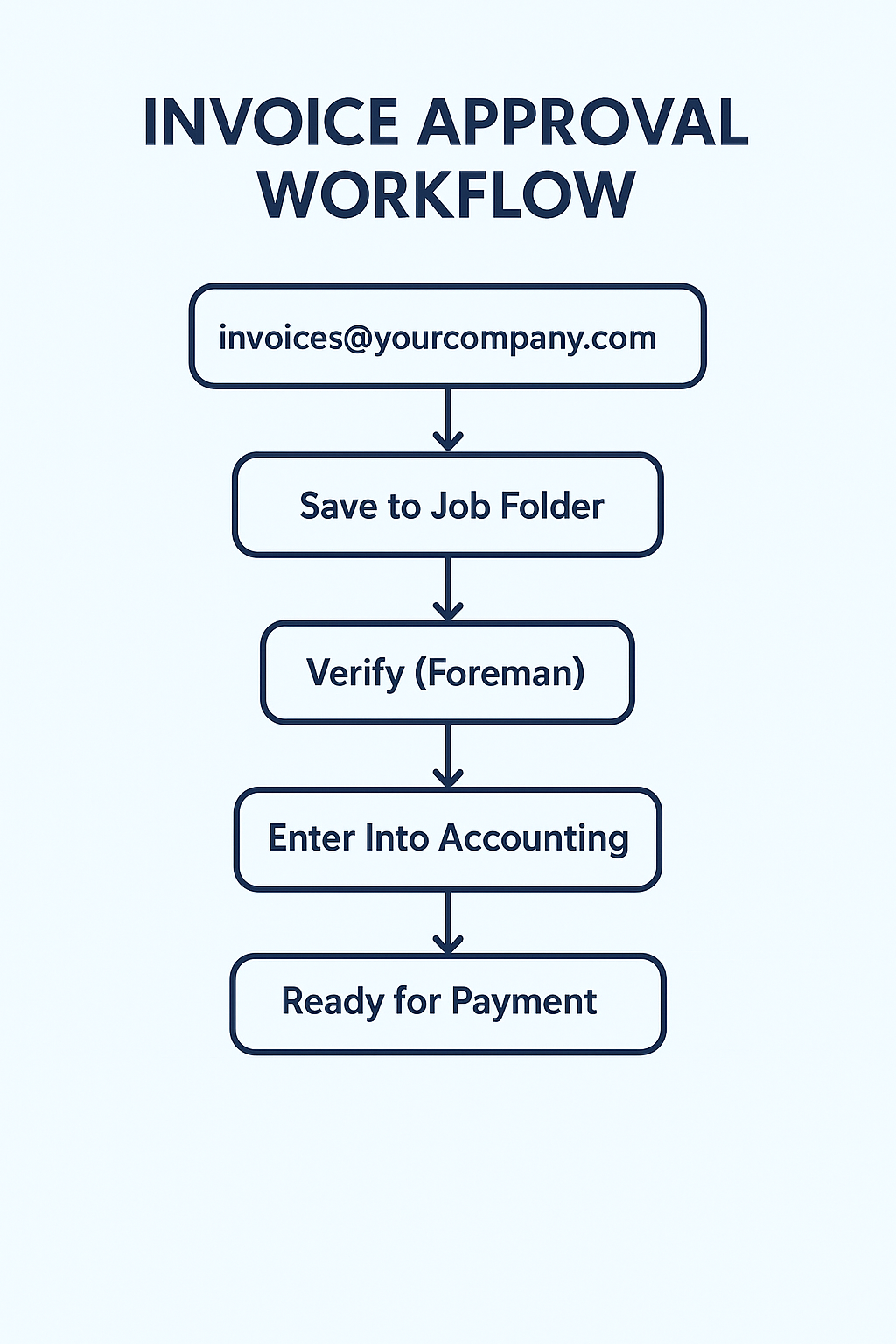
Simplified Visual of the work
4. The Three Layers of Invoice Approval
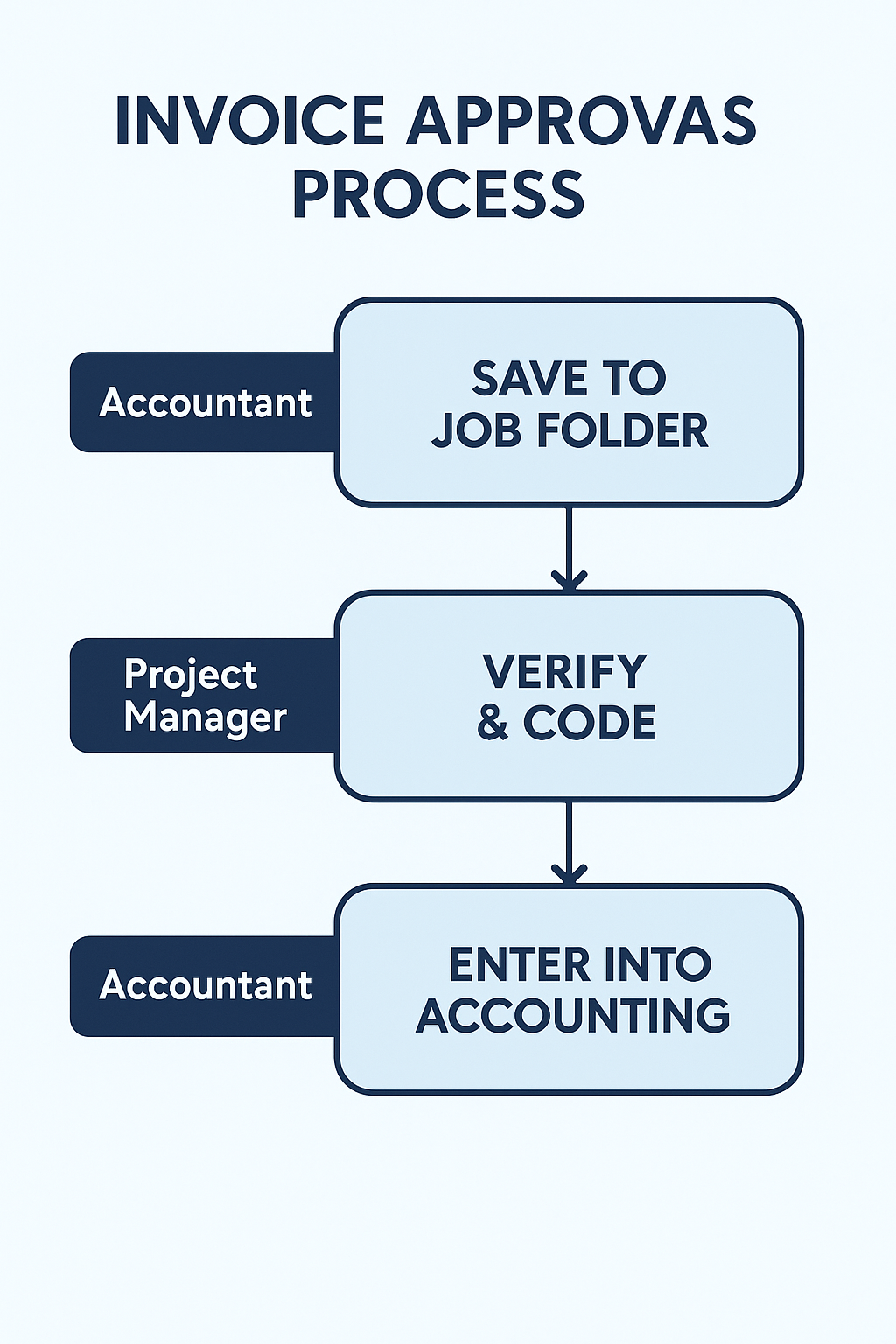
The three layers:
Layer 1 — Field Verification (Foreman)
Checks reality against the invoice.
Layer 2 — Job + Cost Code Approval (PM)
Ensures proper coding & estimate alignment.
Layer 3 — High-Level Approval (Owner)
Protects against large or risky purchases.
This structure keeps mistakes from slipping through.
5. Verification Checklist (Used Before Approval)
Every invoice must be checked for:
✔ Correct job
✔ Correct cost code
✔ Correct quantity
✔ Correct unit price
✔ Date makes sense
✔ Vendor correct
✔ Delivery slip attached
✔ No duplication
✔ Authorized purchase
✔ Matches estimate or contract
This becomes your standard.
6. Common Invoice Approval Mistakes (And How to Fix Them)
❌ Approving without matching delivery slips
→ Require foreman verification before PM approval
❌ Owner approving everything
→ Use thresholds
❌ PM assigning wrong codes
→ Use standard cost code list
❌ Accountant guessing job or cost code
→ PM stamps every invoice
❌ Paying invoices without documentation
→ No document = no payment
❌ Sub invoices not tied to contract scope
→ PM must confirm scope & percentage complete
7. How This Approval System Protects Your Profit
This system:
✔ prevents unauthorized purchases
✔ catches pricing errors
✔ prevents double billing
✔ keeps job costing accurate
✔ protects tax deductions
✔ supports accurate estimating
✔ speeds up month-end close
✔ removes bottlenecks
✔ creates accountability
This is exactly how profitable contractors operate.
If you want a simple way to apply this consistently, we built a free Monthly Close Checklist that walks through the exact order contractors should follow each month.
FAQ: Contractor Invoice Approval Workflow
1. Why do I need an invoice approval workflow at all?
Because without a workflow, invoices get lost, coded wrong, double-paid, or assigned to the wrong job.
A clean approval system protects your profit, improves job costing, and keeps your accounting accurate.
2. Who should approve invoices — the owner or the project manager?
The Project Manager should handle most approvals.
The owner only steps in for large purchases or subs.
This prevents bottlenecks and keeps the process moving.
3. What’s the purpose of the invoice email inbox?
It gives your company one entry point for every invoice.
Instead of invoices showing up in pockets, text messages, PM inboxes, or vendor portals, they all land in:
📧 invoices@yourcompany.com
If it’s not in the inbox, it doesn’t exist.
4. Who verifies quantities and delivery slips?
The foreman or the person on-site who received the delivery.
They check:
quantities
pricing
delivery slip match
authorization
This prevents the PM from approving incorrect or inflated invoices.
5. Who assigns the job and cost code?
The Project Manager, never accounting.
PMs understand the job, the estimate, and the phase of work.
Accounting’s job is to enter what the PM approves — not to guess.
EdgeStrat Finance provides contractor-focused bookkeeping and job costing services designed to prevent labor overruns and protect profit on every project.
Related Articles:
Why Revenue Is a Lie Without Job-Level Profit Tracking
Disclaimer:
This content is for general educational purposes only and does not constitute tax, legal, or accounting advice. Individual circumstances vary, and tax and reporting requirements can change. Always consult a qualified CPA, tax professional, or legal advisor for guidance specific to your business.